> For the complete documentation index, see [llms.txt](https://help.shopifas.com/manual/llms.txt). Markdown versions of documentation pages are available by appending `.md` to page URLs; this page is available as [Markdown](https://help.shopifas.com/manual/internal/share/common/step-2-faq-publish.md).
# Step 2: FAQ - Publish
#### Frequently Asked Questions
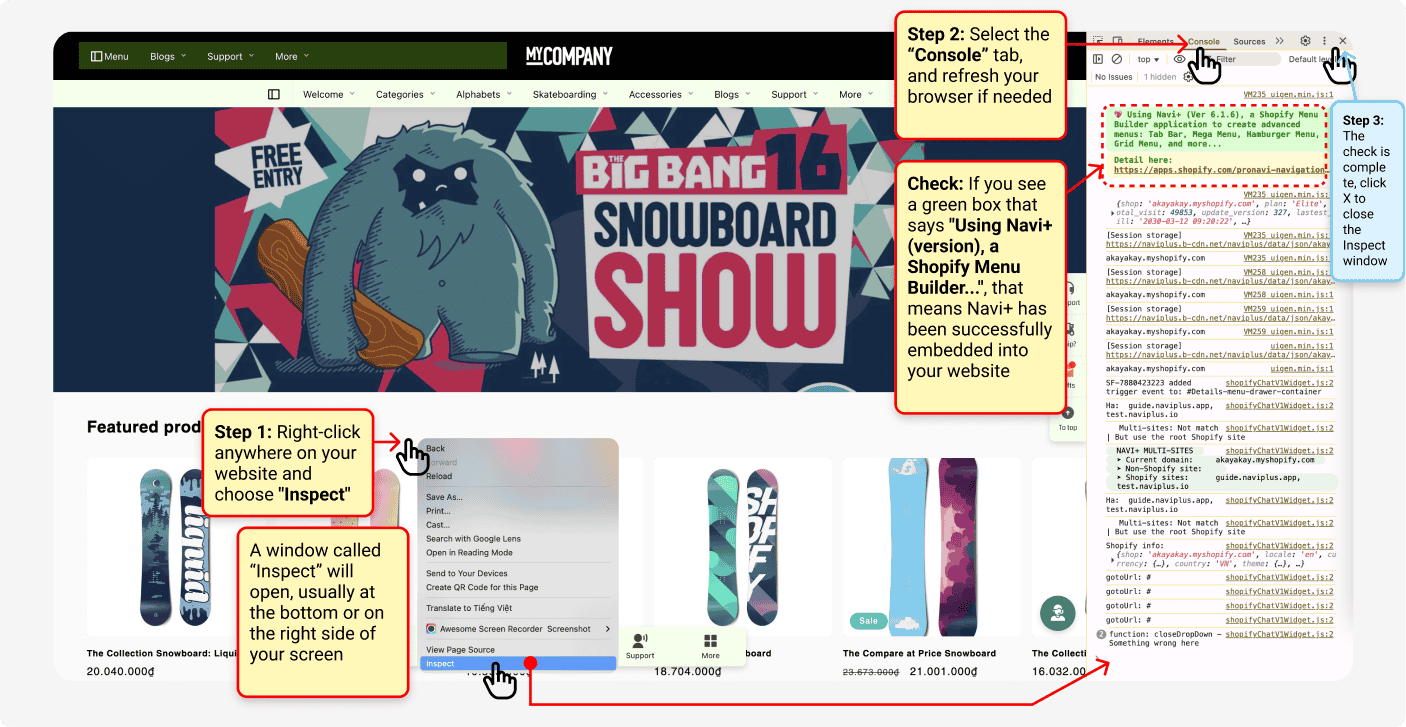
I still don’t see my menu showing correctly on my website. What can I check to make sure I did it right?
Make sure your menu is correctly embedded into your theme, and that you're previewing the correct theme. Here's a slightly advanced way to check if Navi+ is embedded into your website (in the example below, using Chrome):
Navi+ offers several options to show or hide menus based on your needs. A common use case is showing the menu only on mobile or desktop.
For example, if you're testing your menu on a cloned theme in Preview mode, you might want to see how it looks on both mobile and desktop?\
See the image below to learn how to use Inspect mode to test your menu on both devices.
{% hint style="info" %}
Note: These screenshots are based on the Chrome browser. If you're using Firefox, Edge, or Safari, the interface may look slightly different. Feel free to contact me for guidance
{% endhint %}
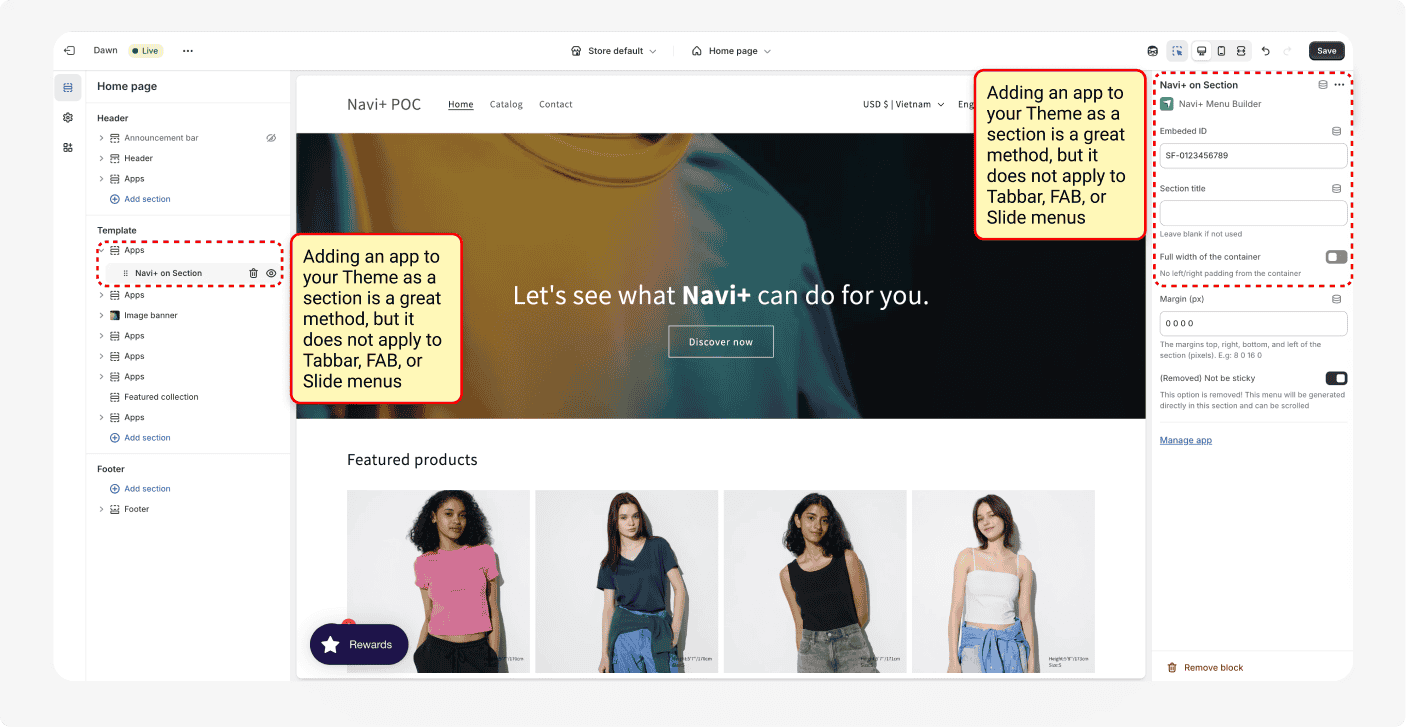
Can I insert a sticky menu (like a Tabbar or FAB) or a slide menu as a section inside the Theme?
No, you can't. Only certain menu types like Grid menus or Mega menus can be added as a section. Navi+ offers many menu types, and each requires a specific way to publish. Using the wrong method may cause the menu to display incorrectly.
Can I publish a menu to a website that doesn’t run on Shopify?
Absolutely! A common use case is when you use a subdomain for your Shopify store, while other subdomains are used for things like blogs, marketing landing pages, or support—built on platforms like WordPress or Wix. But you still want all these subdomains to share the same unified menu from Navi+.
With the Elite plan of Navi+, you can link up to 4 subdomains, even if they are not running on Shopify.
You’ll find the setup guide in the earlier section under the topic **Multisite.**