> For the complete documentation index, see [llms.txt](https://help.shopifas.com/manual/llms.txt). Markdown versions of documentation pages are available by appending `.md` to page URLs; this page is available as [Markdown](https://help.shopifas.com/manual/internal/what-is/common/step-2-faq-publish.md).
# Step 2: FAQ - Publish
#### Frequently Asked Questions
I have many questions about Navi+, where can I find more information?
All the most helpful questions about Navi+ are available at the link below, which contains all the necessary information about the product, UX design and experience, App Compatibility & Integrations, Performance & Scalability, Security, Migration & Switching...
Please click the following link to learn more: I still don’t see my menu showing correctly on my website. What can I check to make sure I did it right?
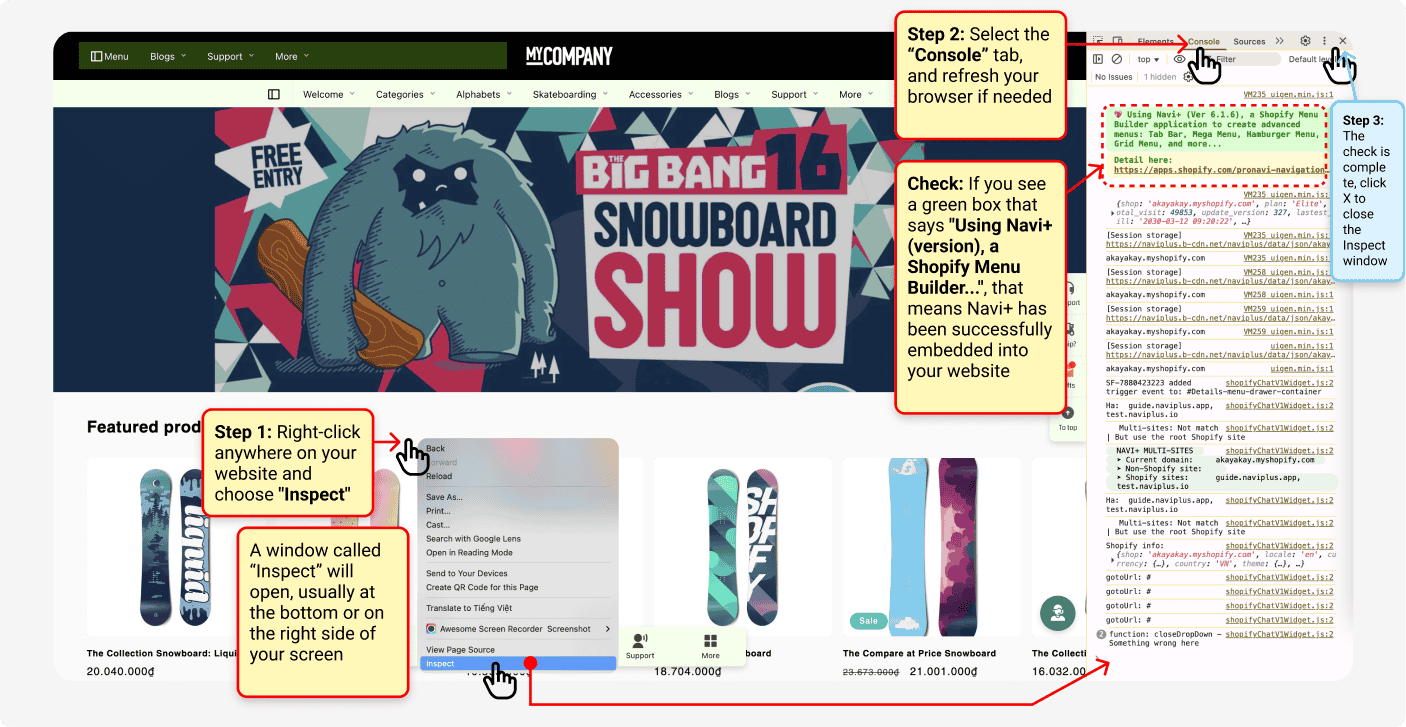
Make sure your menu is correctly embedded into your theme, and that you're previewing the correct theme. Here's a slightly advanced way to check if Navi+ is embedded into your website (in the example below, using Chrome):
Navi+ offers several options to show or hide menus based on your needs. A common use case is showing the menu only on mobile or desktop.
For example, if you're testing your menu on a cloned theme in Preview mode, you might want to see how it looks on both mobile and desktop?\
See the image below to learn how to use Inspect mode to test your menu on both devices.
{% hint style="info" %}
Note: These screenshots are based on the Chrome browser. If you're using Firefox, Edge, or Safari, the interface may look slightly different. Feel free to contact me for guidance
{% endhint %}
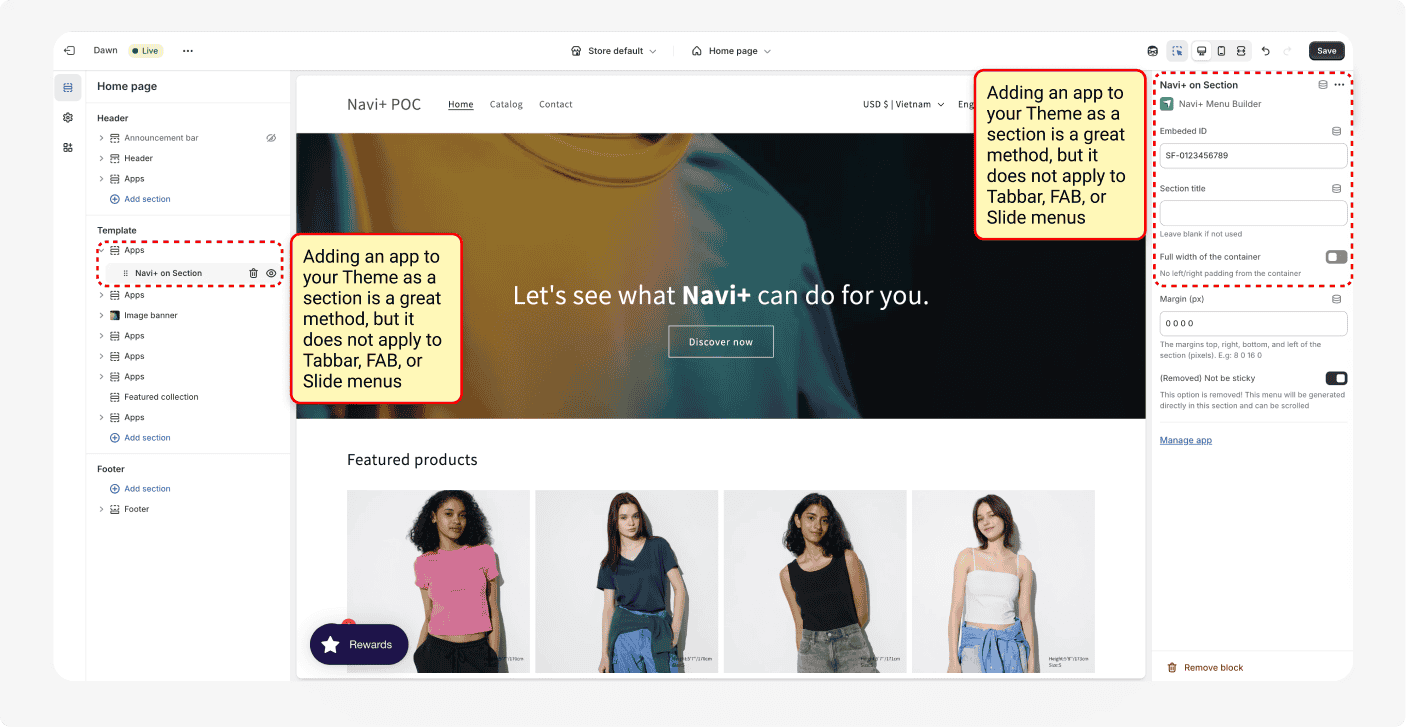
Can I insert a sticky menu (like a Tabbar or FAB) or a slide menu as a section inside the Theme?
No, you can't. Only certain menu types like Grid menus or Mega menus can be added as a section. Navi+ offers many menu types, and each requires a specific way to publish. Using the wrong method may cause the menu to display incorrectly.
Can I publish a menu to a website that doesn’t run on Shopify?
Absolutely, you can deploy Navi+ across multiple different menus. Navi+ has now become a standalone platform software and can be deployed on any platform such as Wix, WordPress, Woo, or custom-coded websites. Visit to get started.